Open source
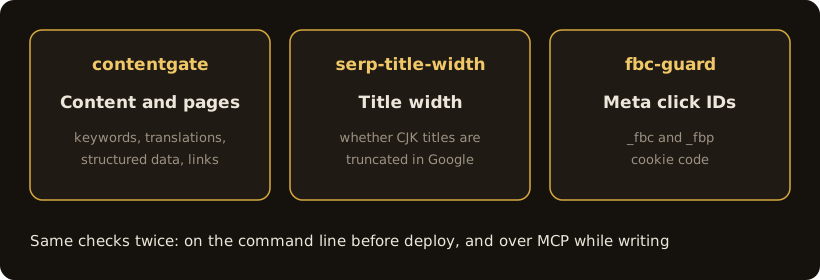
These are checks we wrote for our own sites and client projects, to stop the mistakes that cost rankings, AI citations or ad attribution before a page goes live. All are MIT licensed. Each runs in front of a deploy, and each is also an MCP server, so an assistant can run the same checks while it is writing.
| Tool | What it checks | Install |
|---|---|---|
| contentgate | Five content checks before deploy plus seven page audits: text without JavaScript, structured data, outbound links, images, favicon, stock phrases, duplicate sentences | npx -y mcp-server-contentgate |
| serp-title-width | Pixel width of Chinese, Japanese and Korean titles in Google results, so you know whether they will be truncated | npx -y mcp-server-serp-title-width |
| fbc-guard | Landing page code that stores the Meta click ID in _fbc and _fbp cookies | npx -y mcp-server-fbc-guard |
If you write content or run a multilingual site, start with contentgate. Before a page goes live it checks that the target keyword is actually in the body, that translations are still structurally the same document and that guides link to your service pages; since 0.2.0 it also checks how much text a crawler reads with JavaScript off, whether structured data parses and whether outbound links are qualified.
If your site is in Chinese, Japanese or Korean, measure titles with serp-title-width. Most auditors judge title length by counting characters, a rule of thumb from Latin text; a CJK character is about twice as wide, so only a pixel measurement tells you whether Google will truncate the title.
If you run Meta ads and write your own landing page tracking, use fbc-guard. It finds the common mistakes in click-ID cookie code, such as an old click ID that is never overwritten, fbclid decoded a second time, or timestamps in seconds instead of milliseconds. The page keeps working; only the attribution in your reports goes wrong.
Every tool runs its own controls first: inputs it must reject and inputs it must accept. Only when both behave does it give a verdict; if its controls fail, it exits without saying anything about your content. The exit code is the contract: 0 pass, 1 something to fix, 2 the tool itself is broken.
The tools read content and write nothing, and none of them sends your data anywhere. The Meta click-ID checker fetches the URL you give it; the others make no network requests at all.
Are these tools free?
Yes. They are MIT licensed, the source is on GitHub, and each runs with npx without an account or API key.
What is an MCP server?
A standard way for an AI assistant to call external tools. Once connected, the assistant can run these checks while it is writing a title, a page or tracking code, instead of the problem being found after it is live.
Can I use them without an AI assistant?
Yes. Every tool has a command line version whose exit code is the result, so it can sit directly in front of a deploy and stop a bad build.
These checks are part of what we deliver. If your site needs the foundations done properly from the start, describe your situation and we will tell you straight.
Chat on Telegram